
Throwing all of your electronic devices into a box will no longer do. There is more preparation required to ensure your electronics come out of storage in as good condition as they went in. Although the process can seem a little daunting, storing your electronics in a storage facility is simpler than it sounds!
In fact, if you’re wondering how to store electronics in a storage unit, you’ll need to do the following:
- Sort electronics into keep, sell, donate and recycle piles.
- Hire a climate-controlled storage unit.
- Clean and dust electronics, and remove batteries.
- Group and label wires and plugs.
- Wrap electronics in protective materials.
- Pack in a strong, secure, labelled box.
We’ve broken down these steps in our guide on how to pack electronics for storage below, so let’s dive in!
1. Sort Electronics
If you have old electronics that you don’t plan to use again, the best thing you can do is sell, donate or recycle them. This will free up more space in storage for the electronics you actually want to keep and give the old ones a new lease of life. After all, moving into a new space should be a fresh start — there is no need to take unnecessary clutter with you.
If you separate your electronics at this point, e.g. into designated computer parts, camera accessories, screens and kitchen equipment piles, keep them like this — this will make it easier to pack and unpack them later.
2. Hire a Climate-Controlled Storage Unit
A crucial step in our How to Store Electronics in a Storage Unit guide is to protect your devices from the elements. For obvious reasons, it is crucial you don’t get your electronics wet!
Hire a storage unit that has controlled humidity levels to prevent moisture from seeping into your devices. Likewise, ensure that the storage space maintains an optimum temperature — it should not be too hot or too cold, as either extreme can damage your electronics.
Do Electronics Go Bad In Storage?
Electronics can go bad in storage if they are not stored in optimum conditions. Humidity and moisture can lead to condensation within electronics, which can cause corrosion and damage to fragile components.
You should also avoid storing electronics away for too long, as dust and dirt can accumulate, which leads to overheating or malfunctioning devices when powered on.

Although lots of modern equipment is equipped with some sort of water-resistance, many devices are still sensitive to moisture.
3. Clean Electronics & Remove Batteries
Now you have your electronics collection whittled down and your storage unit secured, it’s time to clean. Just as you’d clean any item going into storage, make sure you use cleaning methods that are appropriate to the electronic in question.
How to clean electronics before storage
For most electronics, you can use a microfibre cloth to wipe off dust. If safe to do so, you can also use a hoover (with the soft nozzle on) to remove dust from the crevices. For stubborn grime, refer to your manufacturer’s guide.
Why you need to remove batteries
You should also remove batteries at this point — inactive batteries that sit inside electronics can leak corrosive battery acid which can cause damage, chemical burns and a mess. Don’t forget your kid’s toys either!
4. Group and Label Wires and Plugs
If you don’t plan to keep your wires/cables/cords/plugs with the electronic in question, group and label them with the name of the electronic.
Tips to help you organise include using cable organisers, twist ties, or zip ties to bundle similar cords together neatly. Label each bundle with the name of the device using masking tape or printed labels. You can keep these in a separate box, or pop them in another box/bag within your main electronics box.
Keeping everything organised this way ensures you don’t waste time sorting through a tangled mess when you need to set up your electronics once more. This makes it easier and faster to reassemble your electronics when you bring them out of storage.
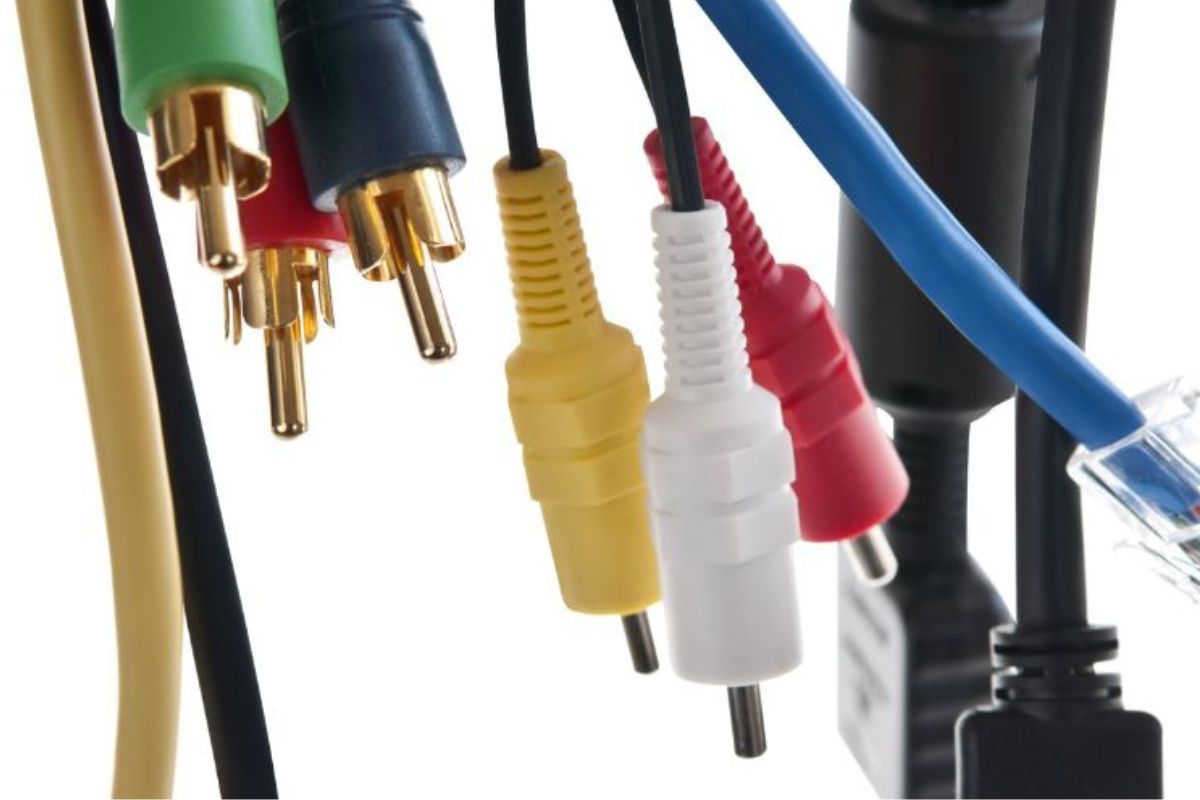
Use cable organisers, twist ties, or zip ties to bundle similar cords together neatly. Keeping everything organised ensures you don’t waste time sorting through a tangled mess later on.
5. Wrap in Protective Materials
If your electronics need it, wrap them in a layer of paper and bubble wrap for protection. One layer of each should suffice, but you can add more for delicate items.
However, you should avoid keeping your electronics in plastic wrapping. Plastic sheets may be reasonably waterproof, but they can also retain moisture, preventing it from escaping. As mentioned above, moisture is detrimental to electronics in storage and can corrode your delicate components in just a short time.
If you have it, put your electronics back in their original box with protective materials filling the gaps. If not, pack all of your electronics in a strong, triple-walled box. These are custom-designed boxes with three layers of corrugated cardboard that offer unparalleled protection. For additional protection, you can pad the bottom and sides of your box with packing paper or towels.
Make sure to label your boxes, both with the contents of the box and with caution labels: WARNING, FRAGILE and HANDLE WITH CARE can remind movers to take extra care with your electronics.

If you have it, put your electronics back in their original box with protective materials filling the gaps. If not, pack all of your electronics in a strong, triple-walled box.
And you’re done! We hope that this post helped explain how to store electronics in a storage unit.
Just keep in mind that large electronic goods (like your fridge, washing machine, television and record player) will require a slightly different (and more complex) process.
How an experienced storage company can help
At Falconers we use meticulous moving techniques, passed down and perfected through generations for over 132 years, to ensure your electronics and other items are stored and kept in perfect condition. Rest assured that your move will be completed with expert precision.
To learn more about our removals service or purpose-built storage facilities, take a look at our website or contact us for more information.